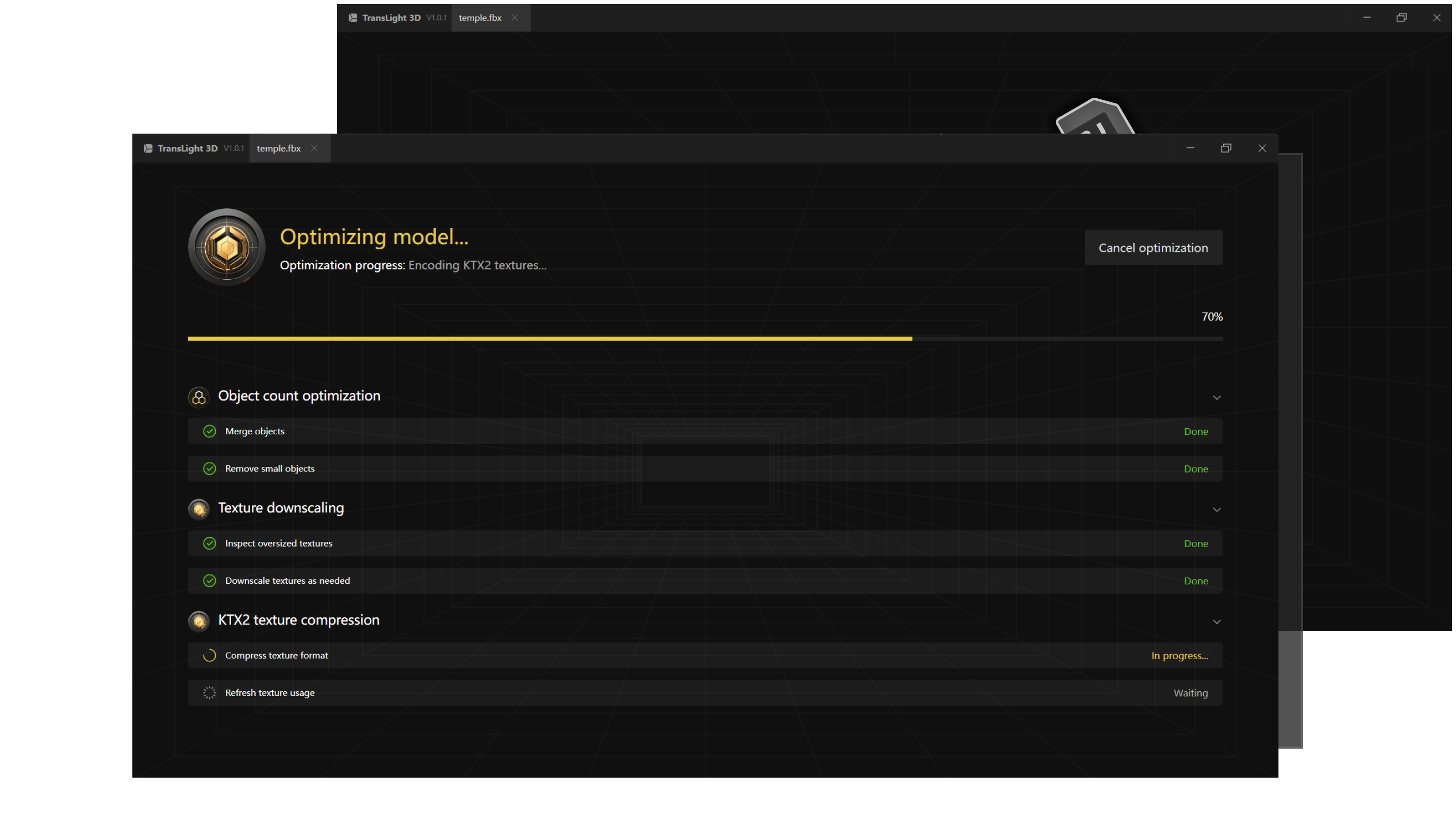
ONE-CLICK OPTIMIZATION
An Optimize Tool for Three.js
Supports Multiple Formats · AI-Powered Algorithms · Lossless Optimization
Translight hero
Why Choose Translight3D?
Focused on Core Features for an Efficient and Streamlined Workflow
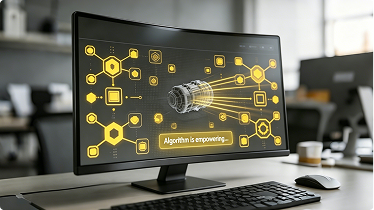
Optimization algorithms
Multiple Algorithms
Multiple built-in optimization strategies adapt to different model structures, helping teams reduce size without babysitting every export.
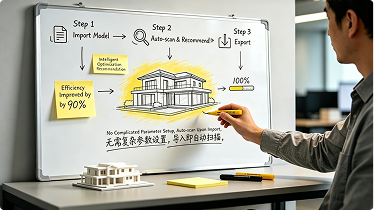
Simple workflow
Easy-to-Use Workflow
Import, review, and export through a streamlined desktop workflow designed for fast deployment and minimal onboarding.
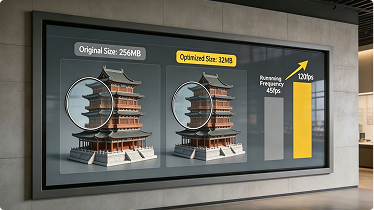
Optimization result
Huge Improvement
Optimized for lightweight files and efficient performance while preserving essential detail for rendering and delivery.
A Lightweight Engine Built for Three.js
Built specifically for real-time rendering workflows, helping developers and teams optimize large-scale 3D assets more efficiently.
Auto-Topology Optimization
Hidden Geometry Removal
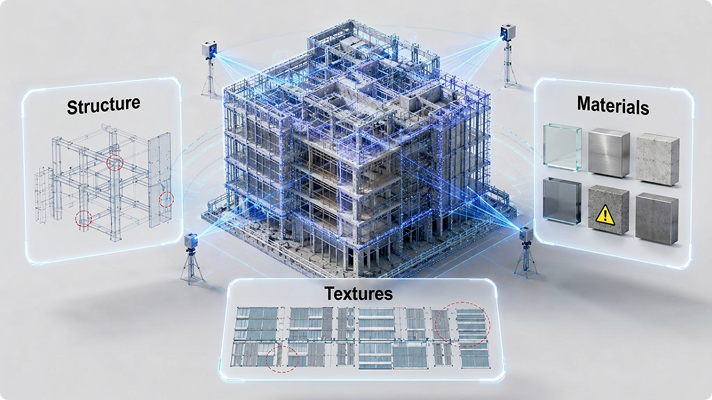
Automatically detects internal structures, hidden faces, and redundant geometry to significantly reduce unnecessary mesh data
Topology Optmleation
Structure Analysis
Visualization
Visualization
Clear Issue View
Smart Detection
Smart Detection
Detect Bottlenecks
Precision Targeting
Precision Targeting
Easy Optimization Detection
Auto-Topology Optimization
Auto-Lightweight Architecture
Optimize Rendering Performance
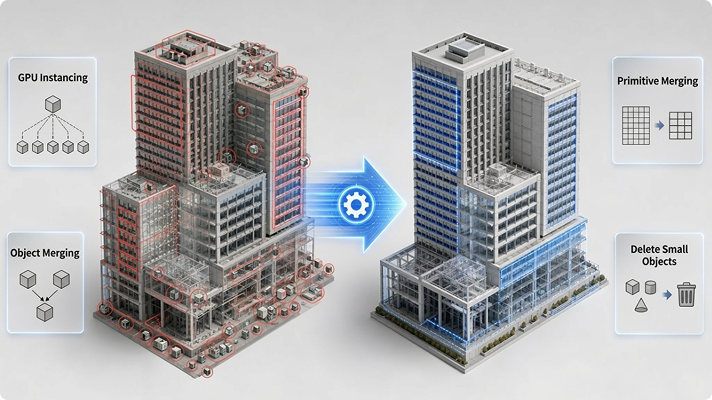
Intelligently compresses geometry, textures, materials, and draw calls while maintaining visual consistency in Three.js rendering environments
GPU Instancing
GPU Instancing
Detect duplicate models
Smart Merge
Smart Merge
Reduce redundancy
Primitive Merge
Primitive Merge
Lower render load
Remove Small Objects
Clean tiny objects
Auto-Lightweight Architecture
Intelligent Memory Compression
Reduce Memory Occupancy
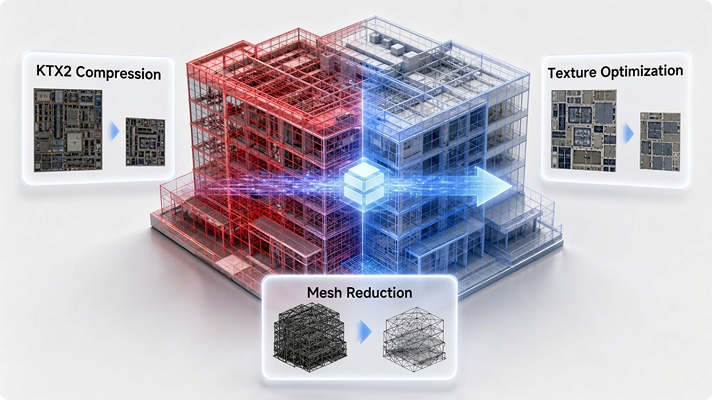
Optimizes textures, Mesh data, and material structures to lower GPU memory usage and improve browser-side loading performance
KTX2 Compression
KTX2 Compression
Reduce texture memory
Texture Downscaling
Texture Downscaling
Quality-Performance balance
Mesh Simplification
Mesh Simplification
Reduce geometry complexity
Texture Optimization
Lower memory usage
Intelligent Memory Compression
One-Click Optimization
Make Rendering More Efficient
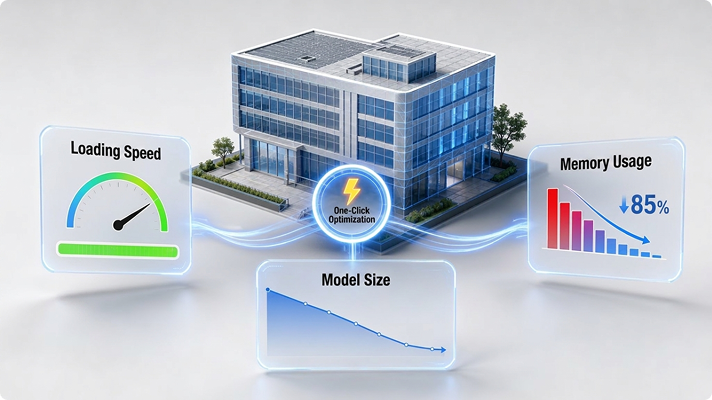
Automatically analyzes scene bottlenecks and applies optimization strategies to improve loading speed and rendering performance
One-Click Apply
One-Click Apply
Auto optimize all processes
Faster Loading
Faster Loading
Boost loading efficiency
Lower VRAM Usage
Lower VRAM Usage
Cut resource & texture cost
Smaller Model Size
Smaller Model Size
Reduce file & transfer load
One-Click Optimization
Excellent Compatibility
Designed for the Complete 3D Production Pipeline with Seamless Format and Software Integration
Feature background
Multi-Format Support
Full Support for 9 Major 3D Formats
Supports OBJ, FBX, GLTF, GLB, PLY, 3DS, DWG, RVT, STL, and more. One-click import for efficient lightweight processing.
Feature background
Compatible with Major Tools
Compatible with Major 3D Tools & Game Engines
Optimized models can be directly used in Unity, Unreal Engine, Blender, 3ds Max, and other professional platforms without additional conversion.